Emarketing-Canada and Content Management Systems
Content Management Systems allows you full control over the content of your Web site. In the above example. The online shopping cart can be accessed by you via the "Back Office". This is done by a control panel which allows you to manage the contents of the shopping cart by making changes to such data fields as the description of an item, the price of an item, the shipping charges for that item. In fact, you can add, edit or delete any item in the cart. The changes are then saved and immediately visible to any visitor on the site. The first step is to plan out the site
This plan or site map allows everyone to understand how the final site will be organized and this helps in the creation of all the site content. The next stage is to determine how the site will look
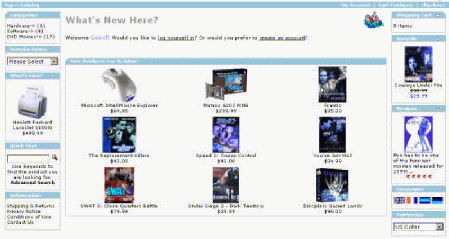
You have an unlimited choice of designs as our designers do not use templates but rather create a custom and unique design just for your site. No matter what type of site you want, the "look" is critical to the image of your online business. Once the design is selected, the rest of the pages will share the same look, but each will have different content. In the example below, say you wanted to have a online electronic boutique. Using the template we designed and you approved, we would then incorporate it into the Content System Manager and create the following page.
Your shopping cart created by your Content Management System
The process involved in constructing your site is done by us, using your CMS system as we build your site, page by page, section by section. Once your Web site is fully designed and tested, you are then given a complete training program to learn the CMS system. The actual CMS system is easy to learn, fun to use and within a few hours you will be able to make as many changes to your site as you like, anytime you like. You can evem make these changes from any computer, from any city, from any country. All you need is a computer, a Web browser and your username and password to access the CMS system. So, what is a Content Management System?
Let's start with the control panel which provides access into the CMS. The control panel which allows you to make changes to your Web site, requires a user name and a password making it a secure entry point available only to you. This Content Management System control panel will also allow you to review previous orders, view a list of customers who have purchased, and send newsletters or sales brochures to these customers. Your control panel gives you full access to many reports, admin. sections, and even newsletter creation. For our purposes we call it the Management Console.
From the menu above we can select anything we want depending upon what we want to change or monitor on the site. Say we want to change a few pages on our site.We would select "Section Manager" and the image below is what we see when we come to the Section Manager console.
From the Section Manager we can access various parts of the Web site and start to make changes on individual Web pages.
This is how easy it is for you or your staff to make changes to a Web page
Full training is provided to whoever on your staff will be in charge of managing your site. The CMS is easy to learn and actually fun to use. Having such a system allows your company to make as many changes to your site as you like, whenever you like. This product gives you the kind of control over your site content that was only once available to companies who had a Web designer on staff. The above information applies to all types of Web sites, brochure, community or ecommerce. However, say you had an online store. How easy would it be to use our CMS system to add a new product to your online shopping cart? We go into the management console for our online store and view an overall summary of all store activity.
From the drop down menu we select "products".
And we are now in the manage products console having previously selected "list products".
Now we want to add a new product
Notice the many options we have including currency and the taxes to add to prices (VAT). We continue filling in various fields as we process the information necessary to add a product to our cart.Various types of merchandise will have different characteristics and the CMS system takes all of that into account. You can define each item by colours, size, quality, weight, etc. etc. The parameters are endless.
The CMS system allows you to upload images from your own computer and easily place them on your Web pages.By selecting browse you access your own computer and just go to the actual image and then the CMS system automatically uploads it into the Web page.
By using such screens, you can easily add or modify and even delete products from your cart in a matter of minutes. The CMS system is comprised of a series of modules which are all compatible with each other. You order whichever modules apply to your online project rather than having to purchase the entire package. If you wish to add modules later on, you can easily do so without having to purchase another CMS system. We are constantly upgrading and expanding our CMS system and upgrades to your existing system are given to you at no cost.
Many different types of Web sites can be constructed using a Content Management System. Here are some examples:
The above example is for a Web site that has a password protected members area. And in the members area, Web site managers can add, edit or delete content as they see fit. They can also monitor who is accessing the members area and assign different levels of passwords so certain members can visit particular pages that other members are not able to visit.
The above example shows how the Content Management System would work for a brochure or informational type Web site. Here you could add new pages to the site, change images and modify existing content. Is Content Management for you? That will depend upon your Web site requirements and your budget. If your site content does not require many changes, there is probably no need to invest in such a system. However, if you anticipate making many changes to your site such as adding new shopping cart items, adding new pages, uploading articles, modifying existing text, etc. then a Content Management System could be exactly what you are looking for. We can show you what we have done for other
clients To learn more about Emarketing-Canada or to
speak to one of our qualified | |